Offline first
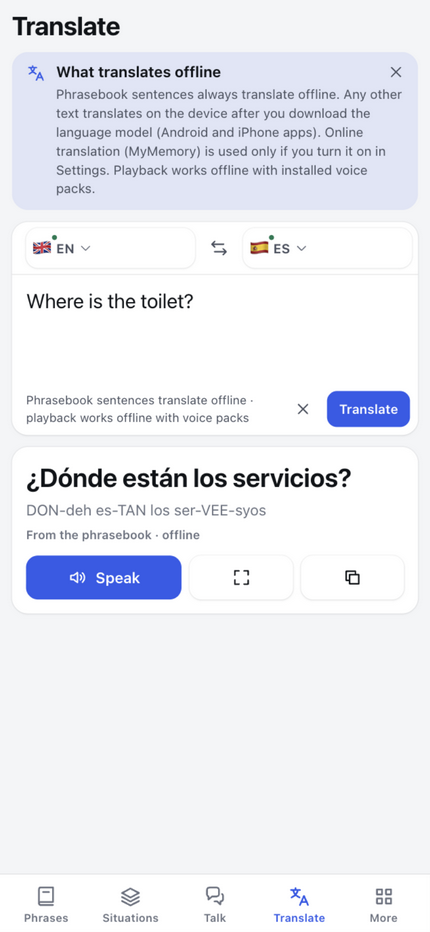
The phrasebook works offline. In the Android app, download translation models and available local voices. Offline microphone support depends on your phone and language.

Free beta · Android & Web
Meet people. Share stories. Find your words.
614 travel phrases, face-to-face Talk, and a phrasebook you can make your own.
26 languages · No account · No ads
A real trip. A real frustration.
I landed in China ready for a trip. Then we tried to get connected. The airport Wi-Fi wouldn’t work for us, and the shops had no SIM cards to buy. We spent hours stuck there without internet, trying to work out what to do next.
That feeling followed us through the trip. Travelling around China meant reaching for a phone translator again and again. We needed the help, but the experience wasn’t enjoyable. I wanted communicating with people to feel easier.
So I started making TapSay for myself: useful phrases ready before I travel, my own words saved where I can find them, and a phone we can put between us to have a conversation.
Then I thought: other travellers might need this too. That’s why I’m sharing it. TapSay is still a beta, and your experiences and ideas will help me make it better.
— Paweł, maker of TapSay
What's inside
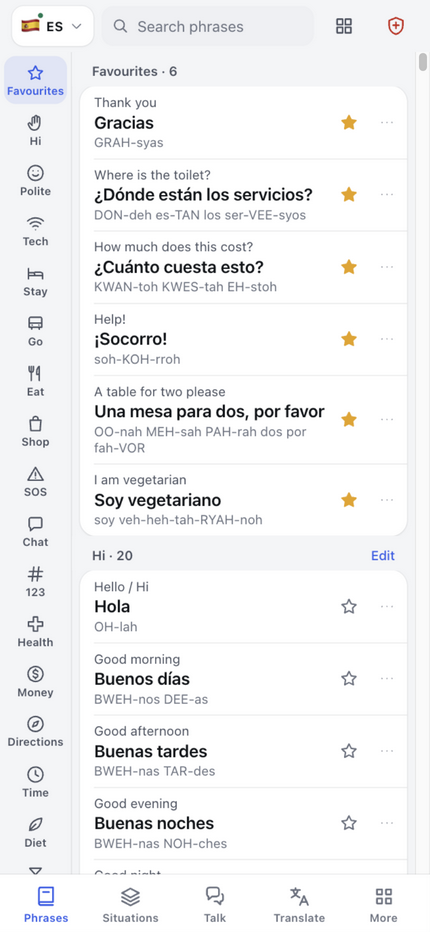
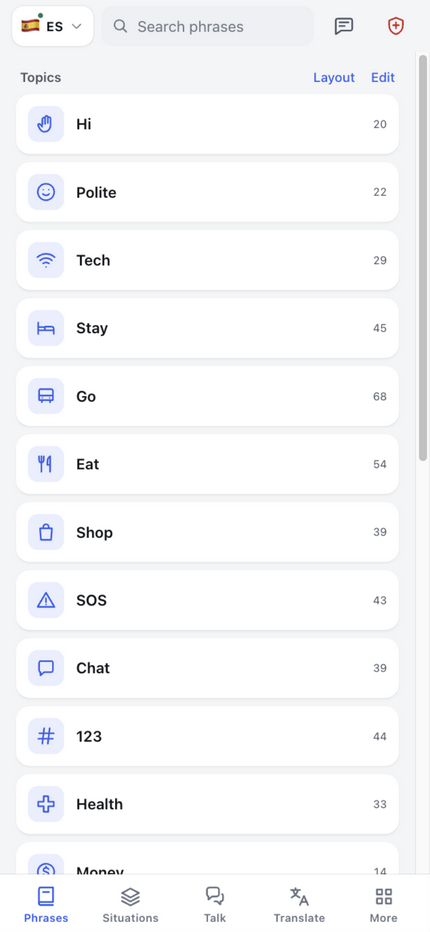
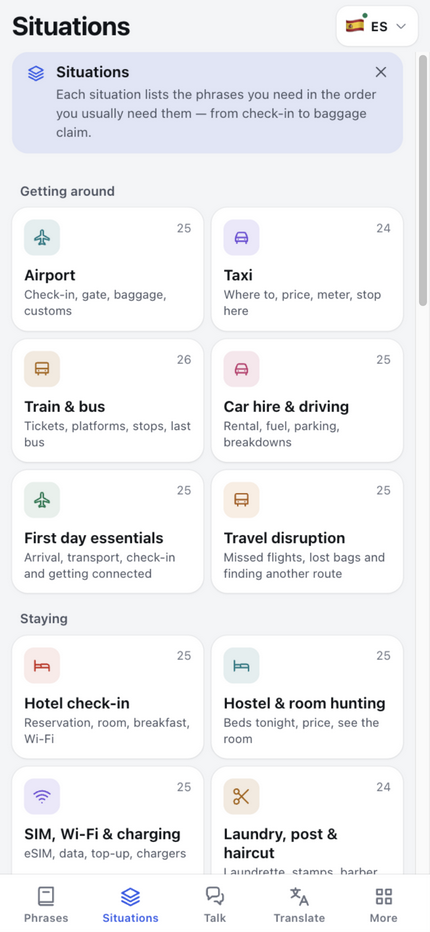
614 phrases · 24 situation decks · 9 home layouts
Not a dictionary — a phrasebook designed for the moments where you need an answer now.
The phrasebook works offline. In the Android app, download translation models and available local voices. Offline microphone support depends on your phone and language.
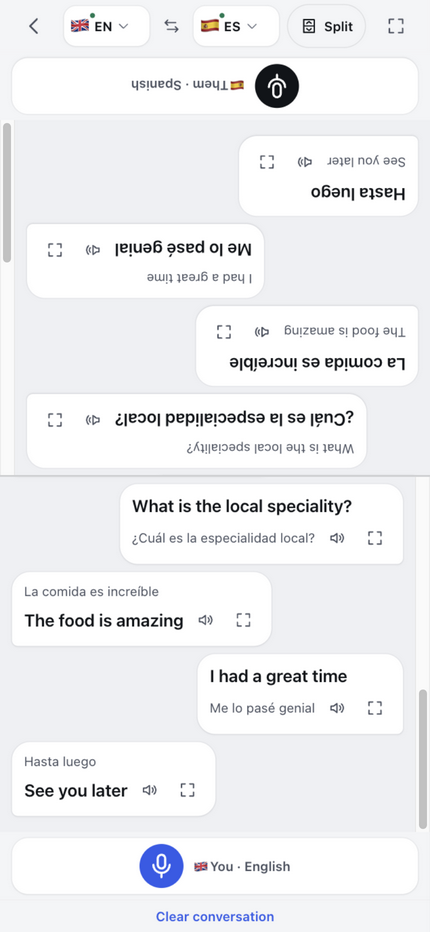
Split screen: your language at the bottom, theirs — upside down — at the top. One phone on the table, two people talking.
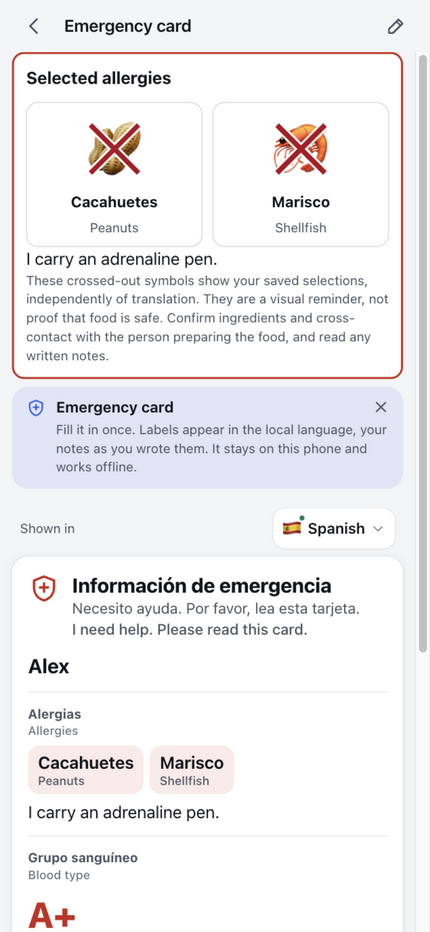
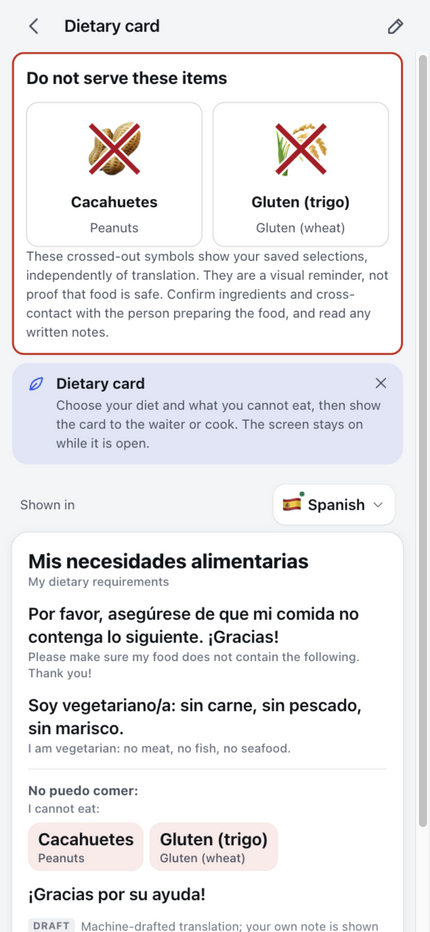
Blood type, medication and contacts — plus large crossed-out allergy symbols alongside translated labels. Use them to reinforce your message, and confirm important details with a person.
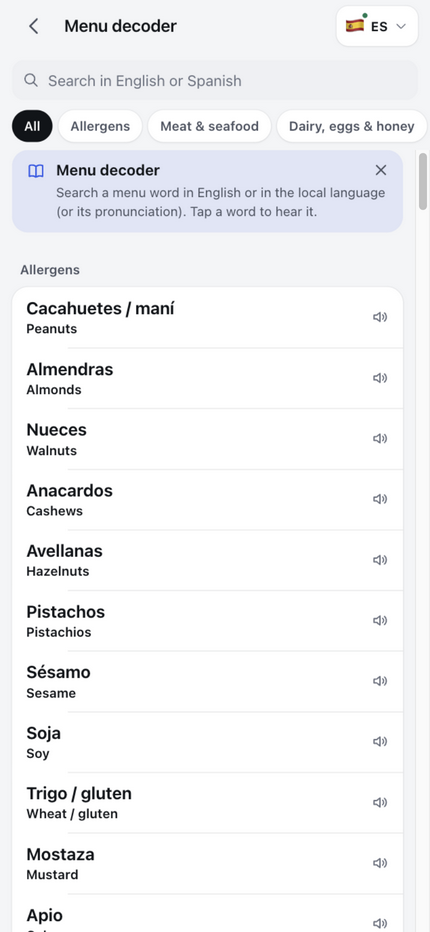
150 food words — including allergens — searchable in English or the local language, each one spoken aloud.
Type any amount, see it written the local way and hear it said. Bargain without doing mental math.
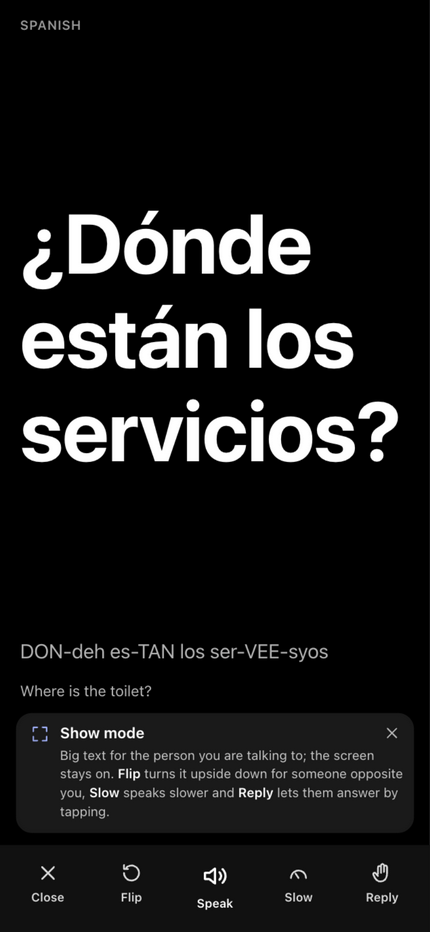
Tap a phrase, hear it. Big-text mode, plain buttons, no accounts. Made to hand to a parent — not to study.
The feature people remember
Face-to-face Talk splits the screen in half. Your half faces you; the other half is rotated 180° so it faces the person opposite. Each side has its own microphone button, its own conversation history and its own translations — in the language each person reads.
Beyond the phrasebook
At a party, over a coffee, or somewhere completely new. Choose your languages and take turns speaking.


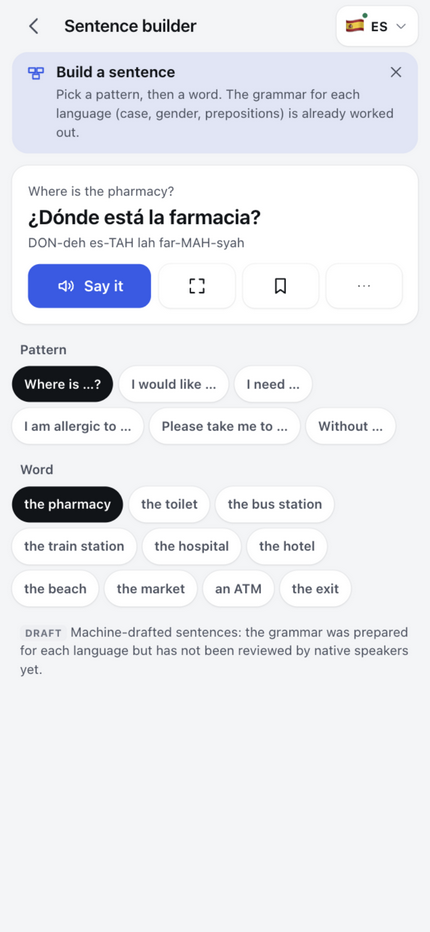
Lifestyle scenes are AI-generated illustrations. App screens below are actual captures from the beta.
Your trip. Your phrasebook.
Your favourite café order, a question you ask every day, a topic for your next trip. Keep your own words alongside TapSay’s ready-made phrases.
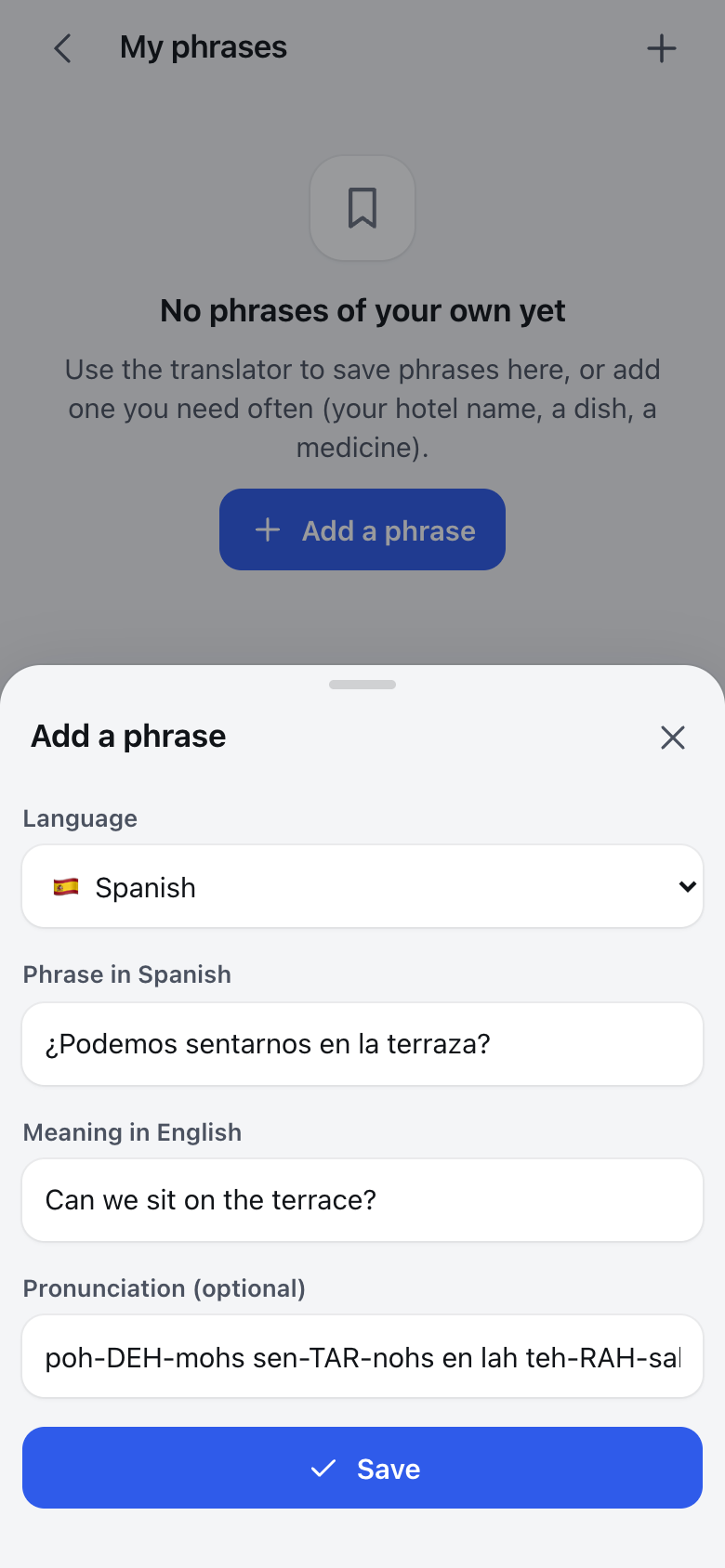
Choose a language, enter the phrase and its English meaning, and add pronunciation if you want. You can also save a translation from Translate.
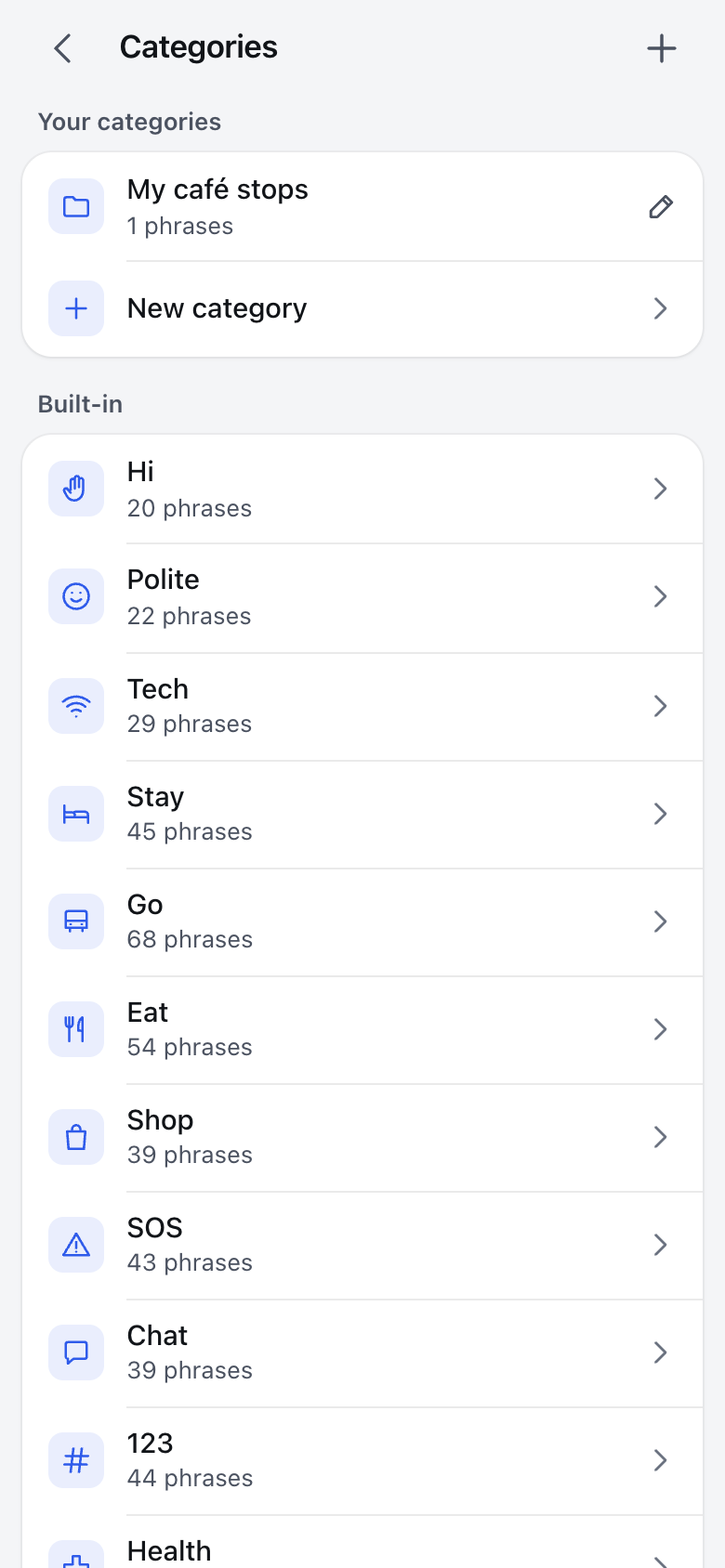
Create and name your own topics in Categories. Give each one an icon, then add your custom phrases or phrases from the built-in collection.
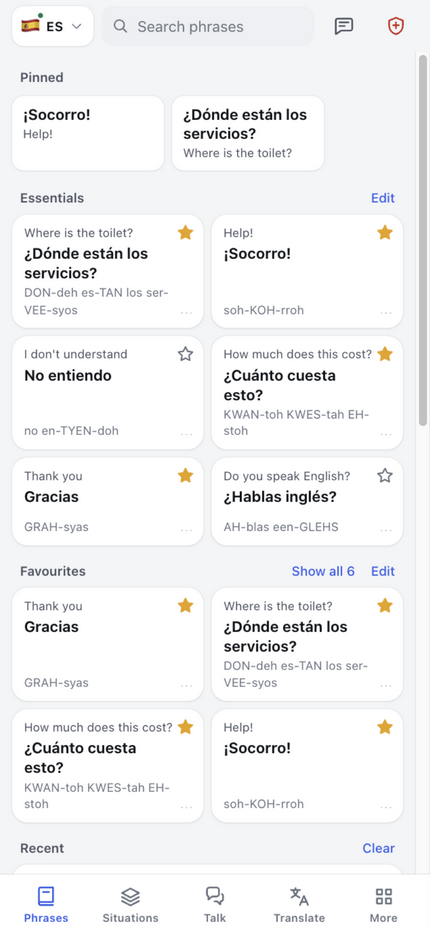
Tap the star to save a phrase to Favourites, or pin it to the top. Pick a home layout with a Favourites section and keep your most useful words easy to reach.
Your custom content stays on your device. Use Backup & restore to move it to another phone. Check translations before saving important phrases.
The part that matters when it counts
Prepare before you travel. The phrasebook, voice playback and live Talk have different offline requirements.
Open the website once to cache the phrasebook, or install the Android beta. Ready-made phrase translations do not need live translation.
For free-text translation in the Android app, enable on-device translation and download models for your languages. For speech playback, install local voices through your phone’s speech engine.
Test in airplane mode. Fully offline Talk also needs on-device speech recognition for both languages; this is not available for every phone or language.
Website and Android app: the website’s free-text translation and voice conversations need internet. Installing it on your Home Screen does not change that. The Android app can translate free text offline after setup; fully offline Talk additionally needs supported offline recognition and local voices.
A quick look
Who it's for
Text size up to 130%, tap-to-hear everywhere, big buttons, no settings maze. If you can send a photo, you can use TapSay.
No account, no sign-up, no ads. Open it, pick a language, tap a phrase. That's the whole tutorial.
Favourites, pinned phrases and reply cards put the ten sentences you use fifty times a day one tap away.
Make it yours
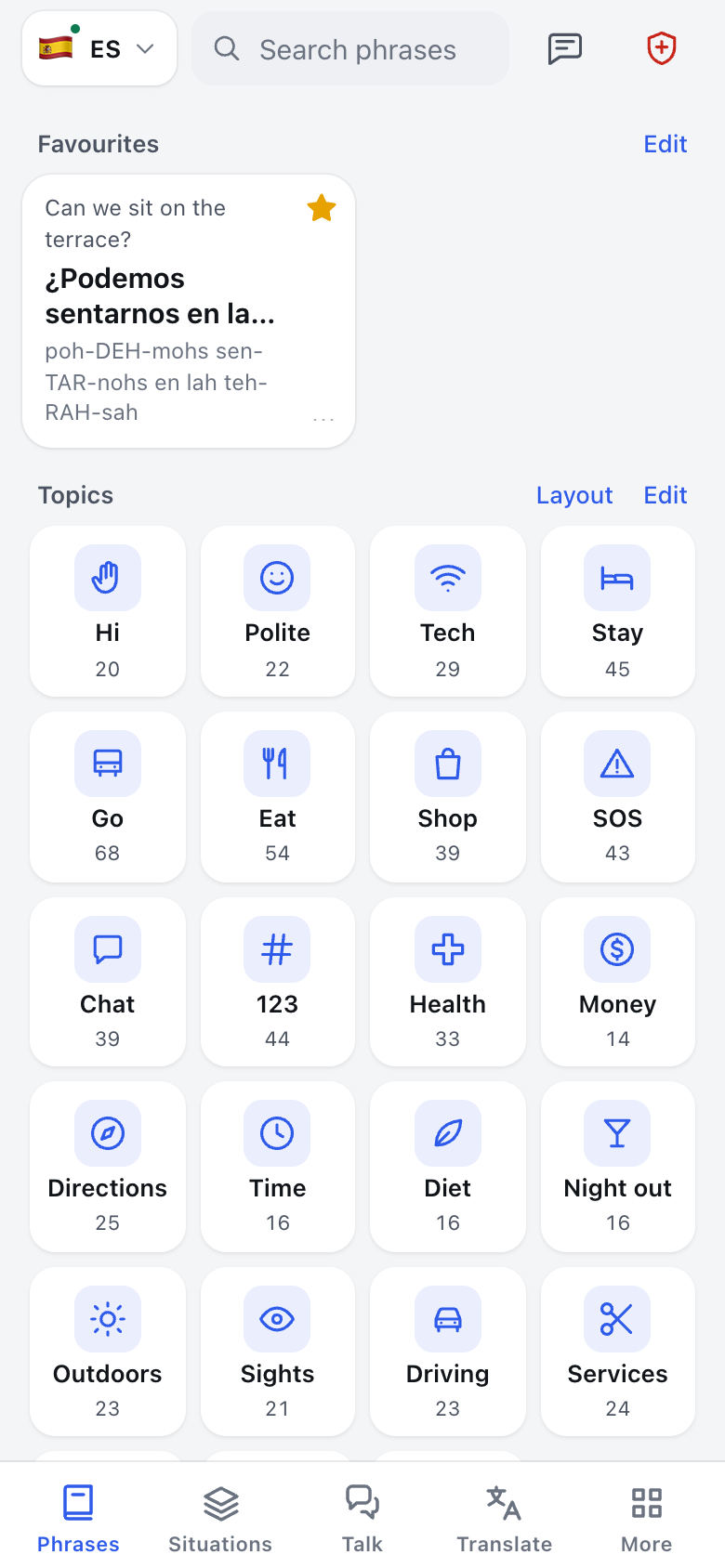
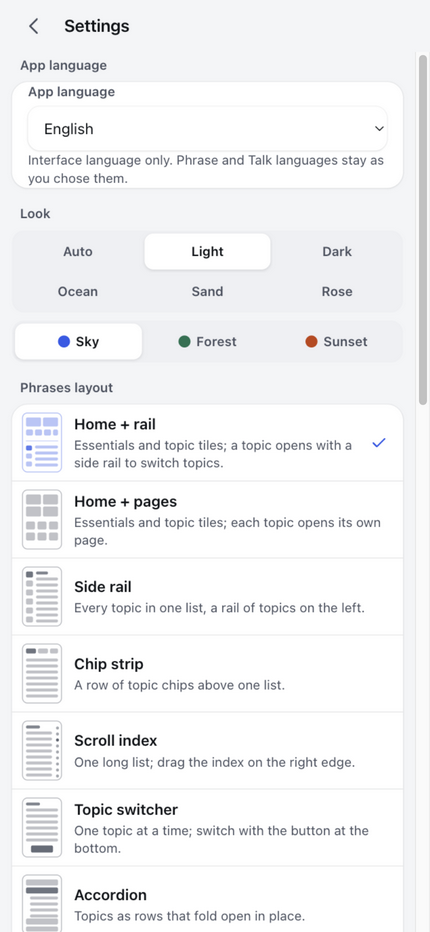
TapSay is highly customizable: nine home layouts, six themes, adjustable text size and density, topic tiles you can hide or reorder, pinned phrases, your own categories and phrases. The app adapts to you — not the other way round.
Get TapSay
TapSay is in active development — a working beta today, app stores later. Beta testers get new versions first.
Try the latest Android prototype. Pre-release beta — for testing. Android 7 or newer. Version 2.1.0-beta.7 · 40.6 MB.
Download Android betaDownload on your Android phone and open the APK. Android may ask you to allow installation from this browser. Only allow it for this install, and keep your existing app data backed up. Future builds will be posted here.
This is a debug beta, not a Google Play release. Bugs and incorrect translations are possible. Verify important information independently, especially allergies and medical instructions. TapSay must not be your only safety check.
Nothing to install. Add it to your Home Screen and it behaves like an app. Phrases and browsing work offline once cached; free-text translation needs internet in the browser.
Open tapsay-eka.pages.devBest on Chrome and Safari. Microphone support depends on your browser.
An App Store release is planned after the Android beta is battle-tested. Meanwhile the web app already works on iPhones from the Home Screen.
Want to help shape it? Tell me what to fix first — feedback button is in the app.
Honest small print: TapSay is a travel communication aid in beta. Machine-drafted translations can contain errors — the app shows you the same warning it shows every user: verify anything important.
Built with your feedback
TapSay started as something I wanted for my own travels. Sharing it means I get to learn from yours, too.
Your feedback means a lot to me. What felt easy? What got in the way? What would make TapSay more useful on your next trip?
There are more ideas and features I want to build. Bug reports, improvements and new suggestions help me decide what to work on next.
— Paweł
Questions
The ready-made phrasebook works offline: bundled in the Android app and cached after a first visit to the website. Local voice playback needs installed offline voices. The Android app can translate free text with downloaded language models. Fully offline Talk also needs supported on-device recognition for both languages. Test your chosen languages in airplane mode before relying on them. Website free-text translation and Talk need internet.
Polish, Spanish, German, French, Portuguese, Russian, Italian, Thai, Vietnamese, Filipino, Japanese, Chinese, Hindi, Arabic, Ukrainian, Turkish, Korean, Indonesian, Greek, Swedish, Dutch, Norwegian, Czech, Romanian and Malay — 26 languages including English, available on either side of a Talk conversation.
Nothing while in beta. The app has no ads and no account.
Saved favourites, custom phrases and emergency cards stay on your device. Online translation sends the text to the selected provider; browser speech recognition may use the browser maker’s service. Feedback is optional and sends your message through the feedback service. This marketing website uses no analytics or cookies.
Translations can contain mistakes, including serious ones. Built-in translations and recent corrections are machine-drafted and still need native-speaker review. Verify allergies, medical information and other important details with a qualified person. Symbols reinforce the message but do not guarantee safe food or care.
Planned after the Android beta. Until then, iPhone users can add the web app to the Home Screen today.